Design a Quiet Home Workspace That Works
Settle into a quieter way of working at home as we explore Calm Workspaces at Home: Layouts, Materials, and Acoustic Solutions. You’ll discover practical layouts that reduce friction, materials that soothe the senses, and acoustic strategies that hush distractions. Expect stories, actionable checklists, and mindful prompts to shape a space that helps you think clearly, create confidently, and log off peacefully. Share your questions or photos below to inspire fellow readers and refine your own sanctuary together.
Micro-zones that respect your brain’s modes

Create a deep-focus corner with a forward-facing desk and solid backdrop, a quick-collab side table for calls, and a decompression perch for brief resets. Separating modes helps your brain switch gears cleanly, lowering decision fatigue. Use rugs, shelving, or plant groupings to mark boundaries without adding visual clutter. This gentle zoning nudges you toward the right behavior, whether drafting, reviewing, or reflecting, while keeping everything within reach and out of your way.
Sightlines, light paths, and what your eyes need

Aim your primary sightline toward a calm surface, not a hallway or busy kitchen. Control reflections by placing screens perpendicular to windows, not opposite them. Position task lights to the side of your dominant hand to reduce shadows on notebooks. Keep background depth behind your camera to add breathing space on video calls. These small choices reduce micro-irritations that accumulate through the day, protecting visual comfort and keeping attention anchored where it matters most.
Circulation without distraction

Plan entry and exit routes that do not cross your main working wedge, the invisible triangle from your keyboard to reference materials. If family traffic is inevitable, redirect with a narrow console, a plant barrier, or a screen that hints at detours. Keep frequently used items within arm’s reach and infrequent items slightly farther, easing movement patterns and preventing accidental interruptions. When circulation feels effortless, your focus stretches longer, and your day flows with fewer friction points.

Material Choices That Soothe and Support
Materiality shapes mood before words arrive. Favor tactile, natural finishes that feel stable and honest: oiled woods, breathable textiles, low-sheen laminates, and mineral paints. Beyond aesthetics, these choices influence sound absorption, airflow, and cleaning ease. Avoid high-gloss reflections that amplify glare, and select low-VOC finishes to keep air fresh across long working hours. Let a restrained palette carry consistent tones and textures so your desk, shelving, and storage read as a calm, coherent landscape.
Acoustic Strategies for Quiet Confidence
Sound comfort combines absorption, blocking, and diffusion. Begin by taming echoes with soft surfaces, then seal gaps that leak outside noise. Finally, introduce diffusion to avoid a dead-sounding room that feels unnatural on calls. Measure conversational clarity by recording a short clip and listening for metallic ring or hollow boom. Fine-tune placements rather than overfilling. With a few thoughtful layers, your voice becomes warm and intelligible, your brain relaxes, and external commotion fades into manageable background texture.

Lighting That Settles the Mind
Light choreographs energy. Combine a warm ambient base, targeted task beams, and subtle accents that erase harsh contrast. Keep color temperature consistent across fixtures to avoid visual jitter when your gaze shifts. Face indirect light during calls for soft, even skin tones. Dim in the late afternoon to signal winding down, and avoid overhead glare that washes screens. With layers tuned to your routine, lighting becomes a gentle conductor guiding attention, comfort, and steady productivity throughout the day.

Seating that supports breath
Choose a chair with lumbar support that meets your lower back, not pushes it. Keep knees slightly below hips, feet grounded, and shoulders relaxed. A breathable backrest keeps you comfortable during long calls. Add a small cushion only if it encourages neutral posture. Check whether you can inhale fully without lifting shoulders; this is the quickest test for ease. Comfortable breathing lowers anxiety and keeps focus steady, especially during complex tasks that demand curiosity and patience.
Desk height, monitor distance, posture cues
Set desk height so forearms rest parallel to the surface without wrist pressure. Position the top of your monitor near eye level, at an arm’s length or slightly more. If you use a laptop, add a stand and external keyboard. Place a subtle posture cue—like a discreet sticker—near your camera to remind you to soften the jaw and widen the collarbones. Small, repeatable cues reduce fatigue dramatically over a week, transforming output and comfort without dramatic interventions.
Movement designed into your day
Program short movement bursts between calendar blocks: a single stretch, hallway lap, or quick breath practice. Keep resistance bands within sight to encourage frequent micro-breaks. Consider a sit-stand rhythm guided by timers, not willpower. Adjust the floor setup with a cushioned mat for standing intervals. Movement is not a reward; it is fuel for cognition and morale. Share your favorite two-minute reset below, helping others build sustainable momentum without sacrificing the calm you’ve carefully cultivated.
Ergonomics You Stop Noticing
Comfort that disappears is comfort that works. Aim for neutral joints, easy breath, and subtle movement throughout the day. Let chair, desk, and monitor placement support natural alignment, reducing strain that steals attention by evening. Introduce micro-mobility with footrests, sit-stand intervals, and reach-friendly storage. When ergonomics blend quietly into the background, your mind stays on the work, not the workspace. Track small adjustments for a week to discover which changes deliver the biggest relief.
Technology, Tamed
Let tools serve quietly. Tuck hubs, chargers, and backups into ventilated cabinets, label everything, and adopt a single charging standard where possible. Reduce notification noise with scheduled summaries, focused modes, and status signage visible on your door. Choose silent peripherals and low-noise cooling to stop hums from eroding attention. When technology fades into the backdrop, your ideas step forward. Invite readers to swap cable maps, app automations, or fail-safe backup routines that protect calm even during crunch days.
Cable discipline and hidden hubs
Route cables along desk undersides with adhesive raceways, gather them into labeled bundles, and anchor dangling ends near reach points. A single surface grommet keeps the desktop clear. Use a charging drawer with ventilation and a fire-safe power strip. Color-code by device type to solve issues quickly under pressure. Photograph your wiring map and store it digitally. Orderly cabling prevents snags, visual static, and last-minute panic, preserving a sense of control every time you sit down to work.
Quiet peripherals and low-noise cooling
Choose mechanical keyboards with dampened switches or quiet membrane models, and pair them with soft desk mats that blunt impact sounds. Opt for mice with silent clicks and smooth skates. Replace noisy fans with larger, slower models, and clean dust filters regularly. Keep drives in vibration-damping enclosures. These tweaks reduce the constant murmur that pushes stress upward without your noticing. Measure results with a phone sound meter, and share before-and-after insights to guide others’ upgrades confidently.

Rituals, Boundaries, and Renewal
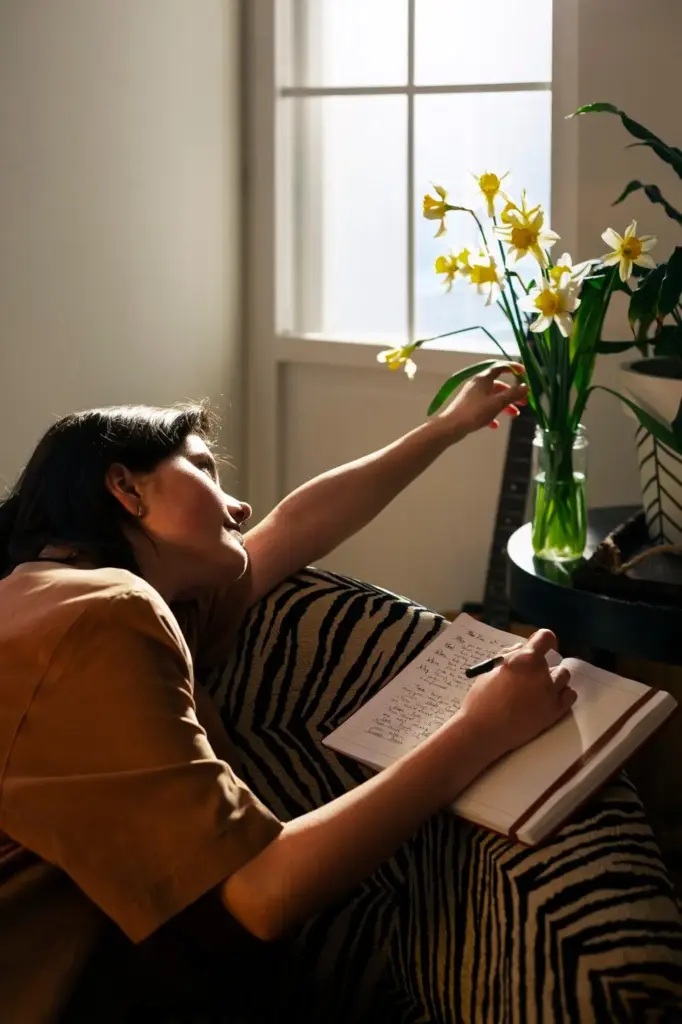
Calm is a practice, not a purchase. Begin and end the day with small, repeatable cues that bookend focus. Set porous boundaries that flex for life but protect deep work most days. Use a visible status system for family, and a personal wind-down checklist for yourself. Celebrate progress in tiny ways: a note, a stretch, a glass of water. Invite conversation below—share what is working, where you’re stuck, and the rituals that keep momentum gentle yet unstoppable.
All Rights Reserved.